Micsig Oscilloscope System Upgrade and Additional Feature Selection Guide
Release Time:2024-09-04
Micsig is committed to continuously driving innovation and development in oscilloscope technology. We ensure that your oscilloscope not only performs excellently but also has comprehensive features by regularly releasing software updates. To achieve functional version updates and maintain your oscilloscope in the best condition, system upgrades are a necessary step. This tutorial will guide you through the simple steps to complete the system upgrade of your oscilloscope and introduce how to add additional feature options.
Preparation for Network System Upgrade
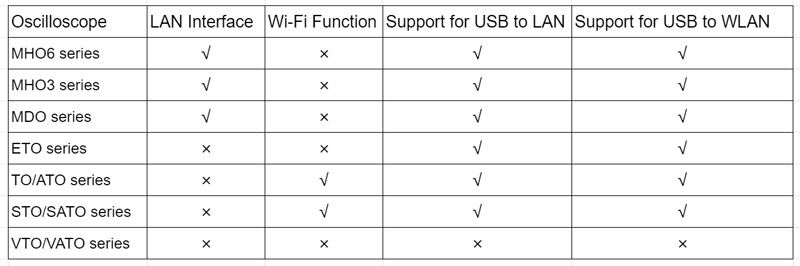
Before upgrading, ensure that your oscilloscope can connect to the network properly. We recommend using a wired LAN connection for greater stability and speed. If your oscilloscope does not support wired connections, or if you prefer a more flexible connection method, wireless Wi-Fi is also a good option.
For oscilloscopes without built-in network interfaces, we offer a simple and effective solution: using a USB wireless network card/USB to LAN adapter. This allows your oscilloscope to quickly connect to the internet, enjoy the latest software updates, and thus enhance your work efficiency and the performance of your oscilloscope.
Start Network Upgrade
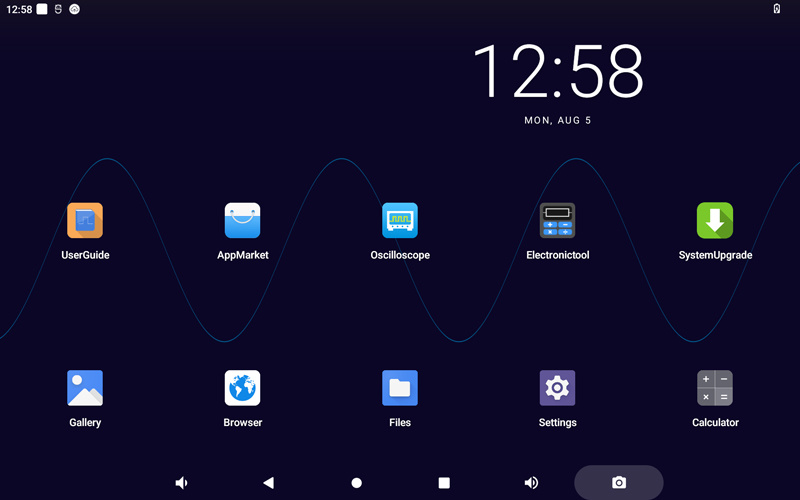
After the oscilloscope is connected to the network, open the desktop system update application. If there is an update available, the oscilloscope will automatically download the latest installation program online. Once the download is complete, click to update. If the system is already up to date, it will prompt: No New Version!
Local Upgrade (Offline)
If you do not have the conditions for an online connection, you can also upgrade by obtaining the latest firmware package (update.zip) for your oscilloscope from the official Micsig website. Place this firmware package into the root directory of the oscilloscope without making any changes (using a FAT32 formatted USB drive or by directly accessing the oscilloscope's storage through a computer), and then restart the device. A prompt for an upgrade will appear; follow the steps indicated to update.
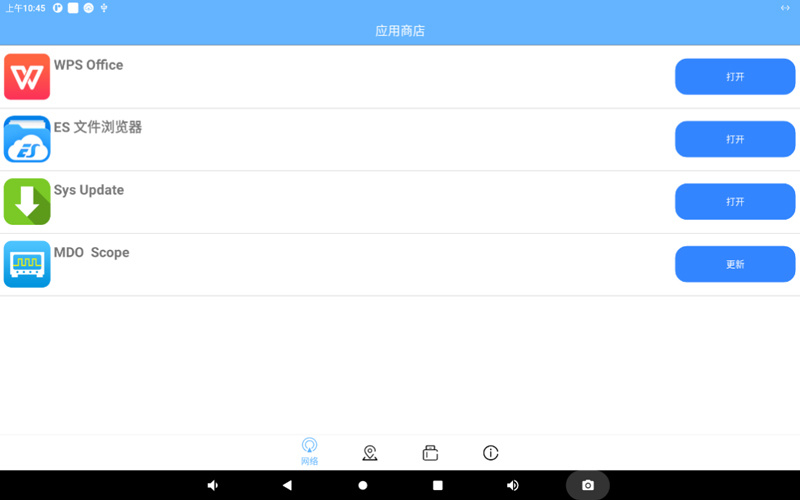
If you do not have the conditions for an online connection, you can also obtain the latest APK of the application from the official Micsig website. Place the APK file into the appMarket folder in the root directory of the oscilloscope, then open the App Store - Local, and you can see the available updates for the applications. Alternatively, you can place the APK file in the root directory of a FAT32 formatted USB drive, insert it into the oscilloscope, and once recognized, open 'App Store - USB' to see the available updates for the applications.
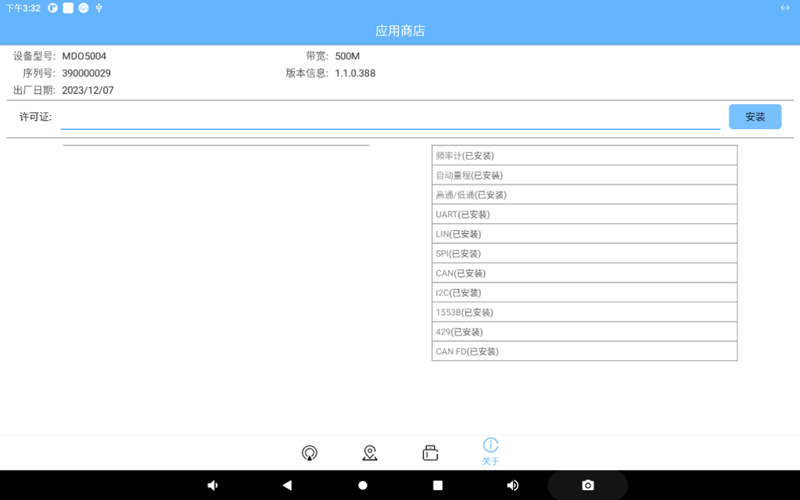
If you need additional feature services, please contact Micsig's official support to provide the serial number to obtain a license. Once you have the license, enter it in the license field to install the additional feature options.
More News

The "Three Workhorses" of Power Device Current Measurement: Rogowski Coil vs. Coaxial Shunt vs. High-Frequency Current Probe
2026-09-02